25 How to obtain Transcripts (school partners)
Partner schools can use a Grade Report as record of a student's enrollment (see instructions below). This report contains the same information as a transcript, is free for both you and the student, and is available instantly whenever you need it.
To download the grade report, log into MyCoursePortal (MCP). Click on My Students on the left side of your dashboard. Then click the eyeball icon to the right of the appropriate student.
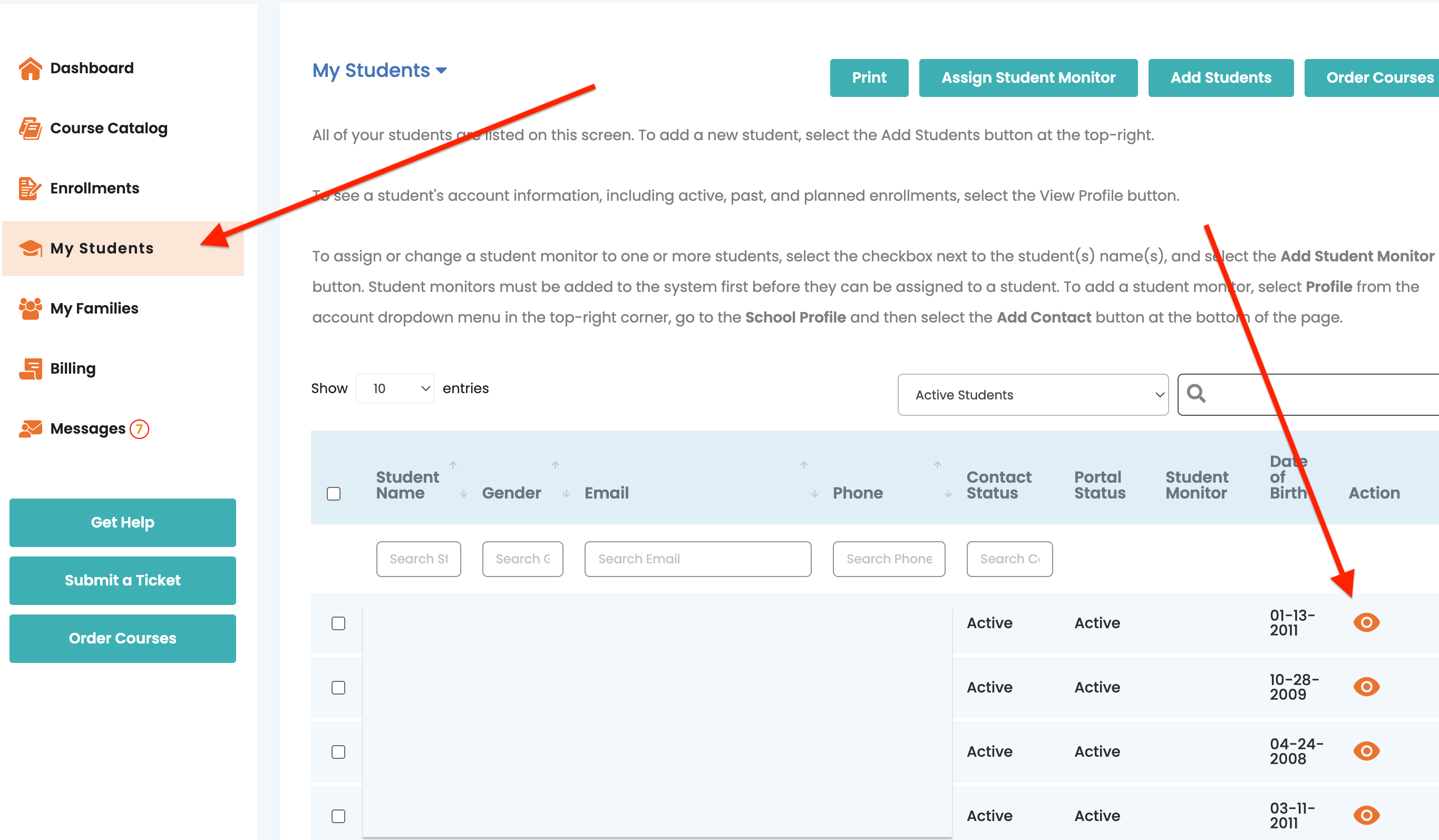
Scroll to Past Enrollments and click Grade Report.
Please contact us if you have questions!
Related Articles
25 How to obtain Transcripts?
You can request an official transcript through our secure service, Parchment. Please follow the steps below: Go to Parchment and create an account in the student's name. Select the option to request a copy of the student’s transcript.* Choose the ...How can my student transfer to a new school?
(Academy) As a guardian for your student, you may request a transcript that can be sent to the new school. If this new school is a partner school with Sevenstar, then the new school will coordinate with our administration team to create a new account ...How do I filter my emails so I no longer receive progress report emails?
(Academy) In Outlook, select the email you do not want to receive. Right-click on the mouse pad, select "Rules" and then "Create Rule". A pop-up window will appear. In the pop-up window, select the box under "When I get email with all of the selected ...What is a weekly Progress Report?
(Academy) These weekly progress update emails provide an overview of the progress in your course.Dual Credit - Course Ordering and Monitoring
(Academy) Sevenstar Academy has agreements with Taylor University and Gordon College to provide Sevenstar students with an opportunity to take online college courses and earn college credit, which will apply towards their graduation requirements. ...